No server to install on your NAS
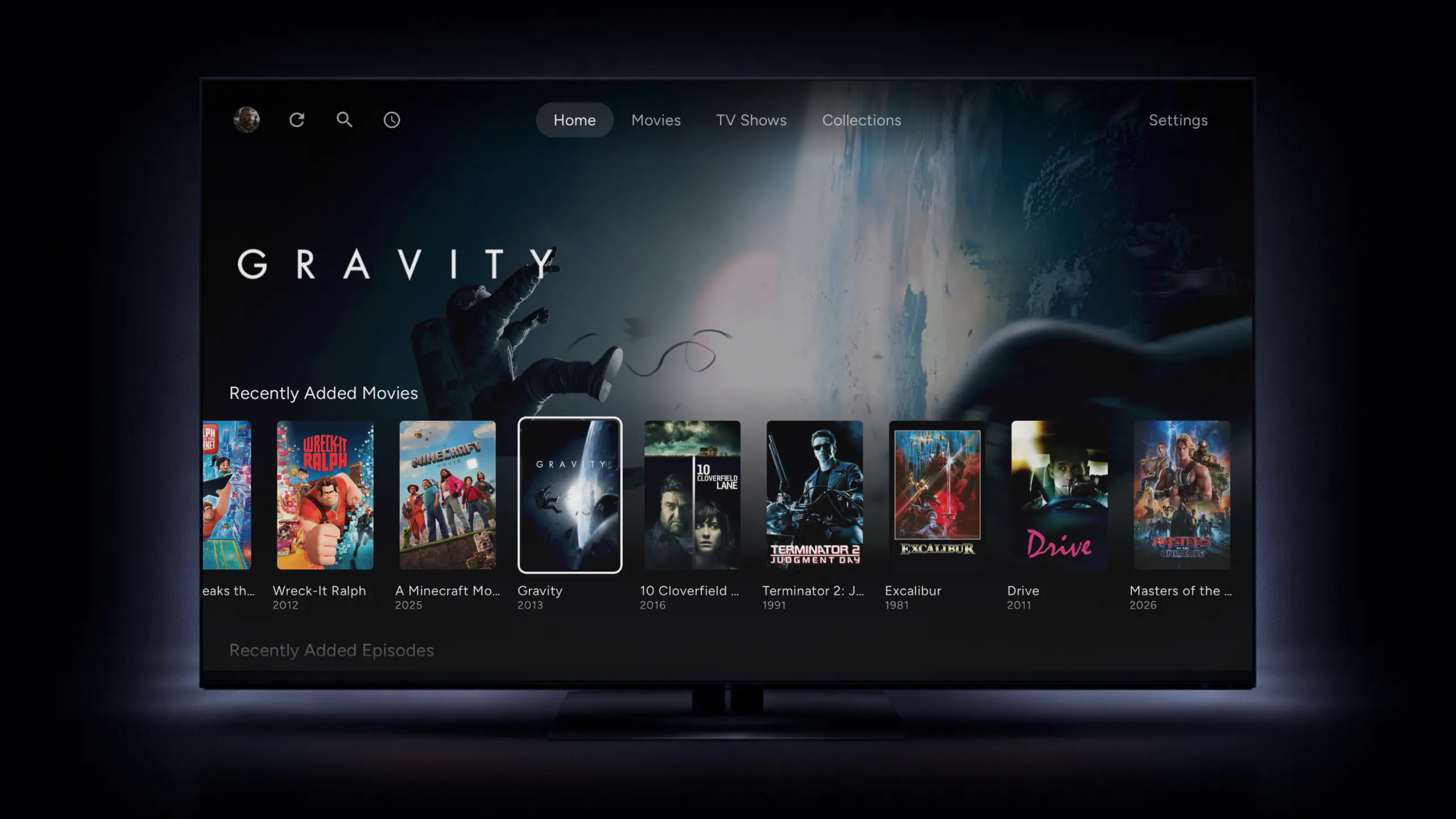
Cinaura is an Android TV app that plays the films and shows already on your Synology, straight over file sharing, and builds the library on the TV. Nothing to install on the NAS, and nothing to keep running.
Free on Google Play, for Android TV and Google TV.
Video Station is gone, and DS video has nothing to connect to
Synology's release notes for DSM 7.2.2 state that Video Station is not available on it. That update first shipped in August 2024, and Video Station has not come back in DSM 7.3 or 7.4. The DS video apps for phones and TVs were its companions, so on a NAS running DSM 7.2.2 or later they have nothing to connect to.
Your films are still on the NAS. What went away is the app that turned them into a library. The usual replacements are media servers, Plex, Emby or Jellyfin, which you install on the NAS and keep running. That works on a powerful NAS. On a smaller one, the server competes with everything else the NAS does, and it struggles when a file has to be converted to play.
Nothing to install on your NAS
The NAS just shares files
DSM already includes SMB file sharing, the same thing your computer uses to open the NAS. Cinaura reads your films through it, so there is no package to install, update or keep running.
The TV does the work
Cinaura scans your folder, finds posters, seasons and details, and plays each file on the TV itself. Your NAS only has to send the file.
Nothing is converted
Files play exactly as they are, with no transcoding, so a small NAS is never asked to re-encode a 4K film while you watch.
Watch your Synology on Android TV in four steps
- 1
Turn on SMB file sharing in DSM
In DSM, open Control Panel, then File Services. On the SMB tab, tick Enable SMB service and click Apply. If it is already ticked, there is nothing to change.
While you are there, open the SMB Advanced Settings and check the transport encryption mode. If it forces encryption on every connection, pick an option that does not. Cinaura cannot connect to a NAS that requires SMB3 encryption.
- 2
Open Cinaura on your TV
Install Cinaura from Google Play on your Android TV or Google TV. In Settings, choose Add a network source, then SMB.
- 3
Pick the NAS it finds
Choose Detect devices. Cinaura scans your home network and lists what it finds. Pick your NAS and sign in with a DSM account that can read your films. If it is not listed, choose Enter address manually and type its IP address.
- 4
Choose your video folder
Select the shared folder your films and shows are in. If you used Video Station, that is often the one called video. Cinaura scans it and builds your library, with posters, seasons and details. A large collection can take a few minutes the first time.
A full library, too
Connect any storage into one library.
Every file becomes a proper title.
The best thing to watch is already yours.
Your files, at full quality.
Watch in any language.
Built for how you actually watch.
A shared TV that stays yours.
Compare Cinaura with others
Common questions
What happened to Synology Video Station?
Synology's release notes for DSM 7.2.2 state that Video Station is not available on it. That update first shipped in August 2024, and Video Station has not returned in DSM 7.3 or 7.4. Your video files stay in their shared folders, but the app that organised and streamed them is gone.
Can I still install Video Station on DSM 7.3 or 7.4?
Not from Synology. It is not offered for DSM 7.2.2 or later, and Synology's release notes say a NAS cannot be downgraded to an earlier DSM once the update is installed. Cinaura avoids the question entirely, because it needs nothing installed on the NAS.
Does DS video still work on Android TV?
DS video is still listed on Google Play, but it was the companion app for Video Station. On a NAS running DSM 7.2.2 or later there is no Video Station for it to connect to. Cinaura connects to the NAS's file sharing instead, so it does not depend on any Synology package.
What is the best Video Station alternative for Android TV?
If you want a library on your TV without running anything on the NAS, Cinaura. It reads your films over SMB file sharing and builds the library on the TV. If you want to stream to phones and browsers, or watch away from home, a media server such as Plex, Emby or Jellyfin is the better fit, as long as your NAS can run one well.
Do I need Plex or Jellyfin on my Synology?
Not for Cinaura. It reads the files straight from the shared folder, so there is no media server to install. If you already run one, Cinaura can read the same folders alongside it.
Can Cinaura import my Video Station watch history?
No. Cinaura cannot import Video Station's watch history, or the edits you made to titles and posters there. It builds a fresh library from your files, with posters and details fetched automatically, and keeps its own watch progress from then on.
Why can't Cinaura connect to my Synology?
Check three things in DSM. SMB is enabled under Control Panel, File Services. The transport encryption mode in the SMB advanced settings does not force encryption, because Cinaura cannot connect to a NAS that requires SMB3 encryption. And the account you sign in with can read the folder your films are in.
Can I watch my Synology away from home?
Cinaura is made for your home network, with the TV and the NAS on the same network. It is not built for watching away from home. If that matters to you, a media server is the better fit.
Does Cinaura work on Samsung, LG or Fire TV?
Cinaura runs on Android TV and Google TV devices with Android 8.0 or later, such as Nvidia Shield, Chromecast with Google TV and TVs with Google TV built in. There is no app for Samsung or LG TVs. Fire TV has no Google Play, but Fire TV devices running Fire OS 7 or later can install Cinaura from the APK on GitHub.
Does it play 4K HDR, Dolby Vision and Atmos from a NAS?
Yes. Cinaura plays 4K, HDR10, HDR10+ and Dolby Vision files as they are, and can pass Atmos, TrueHD and DTS:X through to your receiver. Your device is the limit: Cinaura can only play the formats your TV or streaming box supports. Large 4K remuxes also need a steady home network, and a wired connection is the safest.
Your Synology, on your TV again.
Turn on file sharing, open Cinaura and pick your video folder. Free on Google Play, with nothing to install on the NAS.
Synology, DSM, Video Station and DS video are trademarks of Synology Inc. Cinaura is an independent app and is not affiliated with or endorsed by Synology.