The best Jellyfin alternative for Android TV
Jellyfin is great if you enjoy running a server and picking a client. If you would rather skip both, here is how the alternatives compare, and where Cinaura fits.

Why look for a Jellyfin alternative
The server never ends
Jellyfin is a server you install, update, and keep running. Wonderful if you enjoy it, a chore if you do not.
Setup is the hard part
The most common Jellyfin complaint is getting it working and keeping it working, from transcoding to remote access.
Choosing a client is a second project
The official Android TV app, Wholphin, Moonfin, Streamyfin, and several of the most recommended ones turn out to be phone apps. Picking one is a weekend of its own.
Files have to be named its way
Jellyfin matches best when folders and filenames follow its conventions, so a messy collection means renaming before it looks right.
No debrid or cloud
Jellyfin is built around files on a server, not debrid services or cloud drives you already use.
A machine that stays awake
Something has to be on, patched, and reachable whenever anyone wants to watch, which is a small but permanent running cost.
How the alternatives compare
| App | Server required | Setup | Debrid & cloud | Android TV | Price |
|---|---|---|---|---|---|
| Cinaura | No | About 2 min | Yes | Native | Free |
| Jellyfin | Yes | High, technical | No | App | Free |
| Plex | Yes | 30+ min | No | App | Free + paid |
| Emby | Yes | 30+ min | No | App | Freemium |
| Kodi | No | High, add-ons | Add-ons | App | Free |
Jellyfin is free and open-source, but it is a server you run and maintain. Cinaura and Kodi run on the TV itself, and of those Cinaura works out of the box.
A no-server library that just works
Cinaura keeps the part you want from Jellyfin, a beautiful and organised library, and removes the server, the setup, the naming rules and the upkeep. Install it on your Android TV, point it at your sources, and it builds the library for you. There is one app rather than a shortlist, and it is built for the television rather than ported to it.
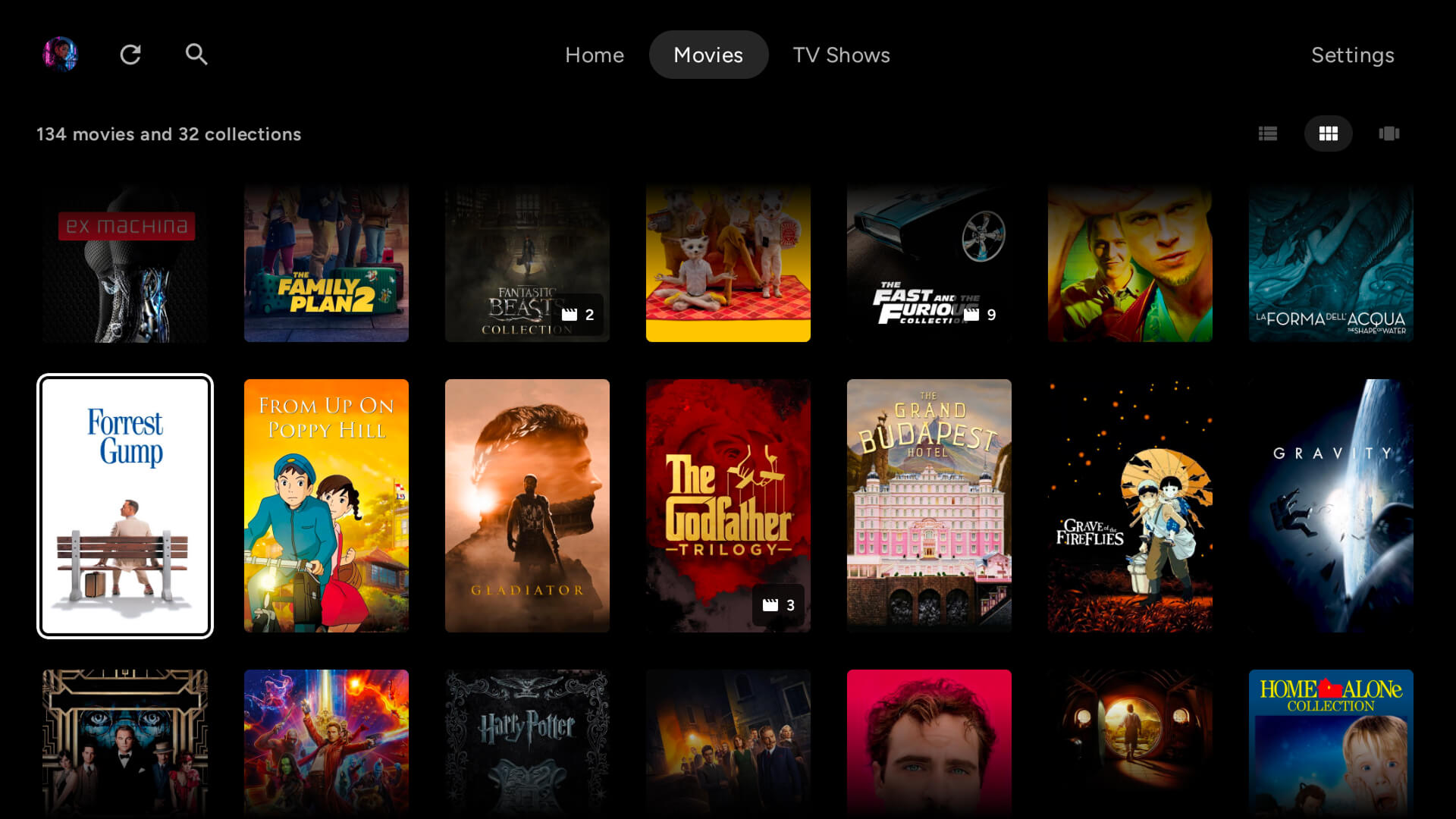
A full library, too
Connect any storage into one library.
Every file becomes a proper title.
The best thing to watch is already yours.
Your files, at full quality.
Watch in any language.
Built for how you actually watch.
A shared TV that stays yours.
Compare Cinaura with others
Common questions
What is the best Jellyfin alternative that needs no server?
On Android TV, Cinaura. It runs entirely on the TV with no media server and no maintenance, and it connects to debrid services and cloud storage that Jellyfin does not support natively.
Which Jellyfin client is best on Android TV?
The official Jellyfin for Android TV app is the safe default, and Wholphin is the most widely praised third-party one, with Moonfin newer and also built for the TV. Several apps people recommend, including Findroid and Fladder, are phone apps rather than TV ones. Worth knowing before you spend an evening on it.
Can I use Jellyfin without running a server?
No. Jellyfin is a server plus a client, so something has to host the library. If you want no server at all, you need an app that reads your storage directly, which is what Cinaura does on Android TV.
Does Cinaura connect to my Jellyfin server?
No, and it does not need to. Cinaura connects to the storage underneath instead: the SMB or WebDAV share, the cloud drive, or the debrid account your files already live on. If your Jellyfin library sits on a NAS share, point Cinaura at that share and it is reading the very same files.
Will my existing library carry over?
Yes. Cinaura parses filenames as it scans and reads the NFO files your current setup created, so renames, overrides and curation you already did are not wasted. Any folder layout works, including the messy ones.
Is Cinaura easier to set up than Jellyfin?
Much easier. There is no server to install or maintain. You install the app, point it at your sources, and it builds the library in about two minutes.
Does Cinaura support debrid and cloud storage?
Yes. RealDebrid, TorBox, AllDebrid and Premiumize, plus Google Drive, Dropbox, OneDrive, SMB and WebDAV, all in one library.
Is Cinaura open source like Jellyfin?
No. Jellyfin is fully open-source, which is a real strength if that matters to you. Cinaura is a free app focused on a no-server, native Android TV experience.
The library, without the server.
Install Cinaura on your Android TV and skip the self-hosting. Free, no account, with debrid and cloud support built in.