




Features

Everything a media server does. Without the server.

The same experience, but right on your Android TV, at full quality and entirely yours. This is the whole app, in one place.

No machine to run, no account, no algorithm.

Get it on Google Play
Sources & sync

One library. Any source. Any structure.

Connect your network shares, cloud drives, and debrid services. Cinaura merges them into a single library and keeps it current in the background.

Network storage
Local storage
Dropbox
OneDrive
Google Drive
Real-Debrid
TorBox
Premiumize
AllDebrid
Multiple sources, one unified library

Network, cloud, and debrid, all merged into one place.

Sync only what you want

Choose which folders come in from each source, and change your mind later.

Nothing vanishes

A file that goes offline stays in your library marked unavailable, with a way back.

Explore sources
Library & organization

Automagically organized for you.

Point Cinaura at your files, whatever they are named. It identifies each one, fetches the artwork and details, and lays it out as a library worth showing off.

Automatic metadata

Posters, backdrops, overviews, and ratings, fetched for you.

Lists you make yourself

Save titles to your own lists, all gathered on the Collections screen.

Your data wins

Local artwork and .nfo sidecars are read and honoured over the defaults.

Fix anything by hand

Correct a title or match and pin it so it stays through every refresh.

Explore the library
Rediscovery

The best thing to watch is already yours.

Cinaura surfaces the connections inside your own collection instead of sending you somewhere new to buy more. No outside catalogue, no recommendation engine.

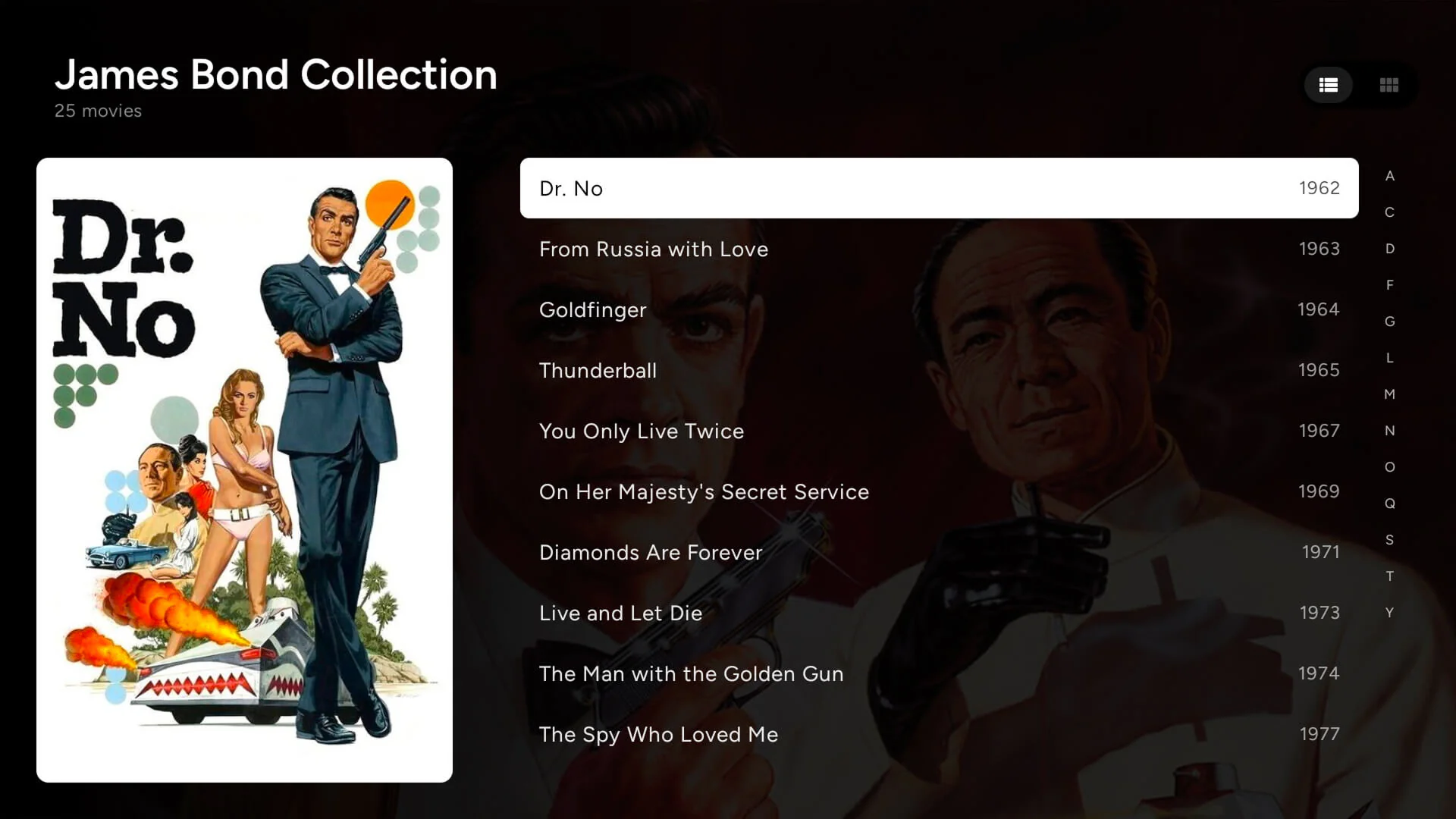
The James Bond Collection open in Cinaura, listing the films in release order with their years
The whole series, in one place

Films that belong together, folded into one entry and listed in order.

Cast and crew, filtered to you

Open a name and see only the titles you already own.

More from your own shelves

Suggestions scored from your library, each with a reason.

Explore rediscovery
Picture & sound

Nothing downscaled. Nothing re-encoded.

Cinaura plays your originals directly, with no server transcoding in the middle. It reads what your file and your TV can do, and switches to match.

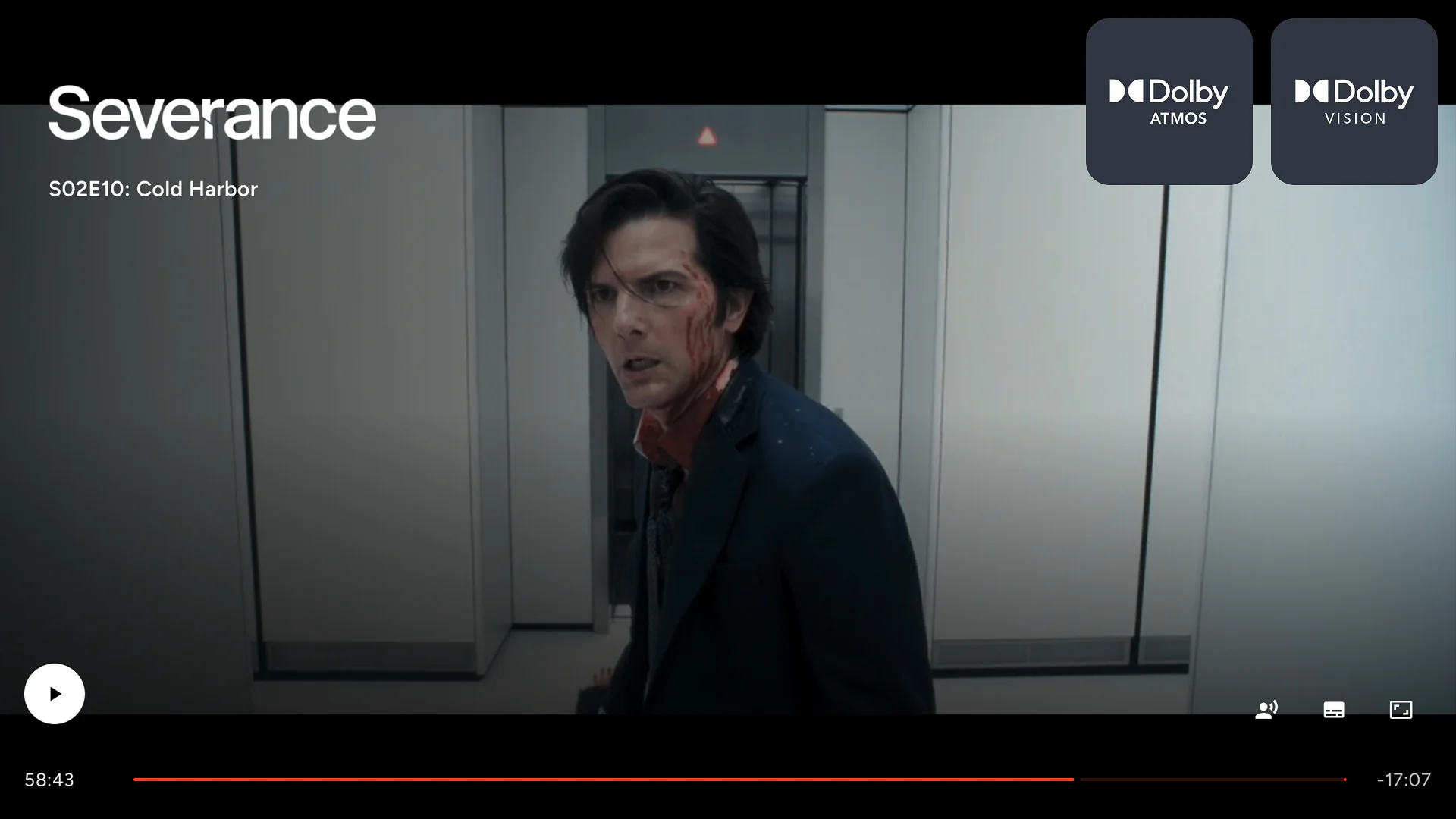
A film playing in Dolby Vision and Dolby Atmos in Cinaura
Direct play, no transcoding

The original file, streamed exactly as it is.

The full HDR range

HDR10, HDR10+, and Dolby Vision, matched to your TV automatically.

Cinema sound

Dolby Atmos and DTS:X, with passthrough to your receiver.

Explore picture and sound
Subtitles & languages

Watch in any language.

Every subtitle source in one place, styled the way you like, and set to your language once.

Activate subtitles
Subtitle settings

Embedded

EN
EnglishSSA
FR
FrenchSSA

Local

ES
SpanishSRT

Online

Get subtitles…
OpenSubtitles built in

Search and download from the player, no account needed.

Style them your way

Size, colour, outline, position, and an offset control.

Set your languages once

Preferred subtitle and metadata languages, applied for you.

Explore subtitles
The player

Skip the intro, resume, roll on.

Intros, recaps and credits out of the way, and your place kept wherever you stop. All designed for a remote and the far side of the room.

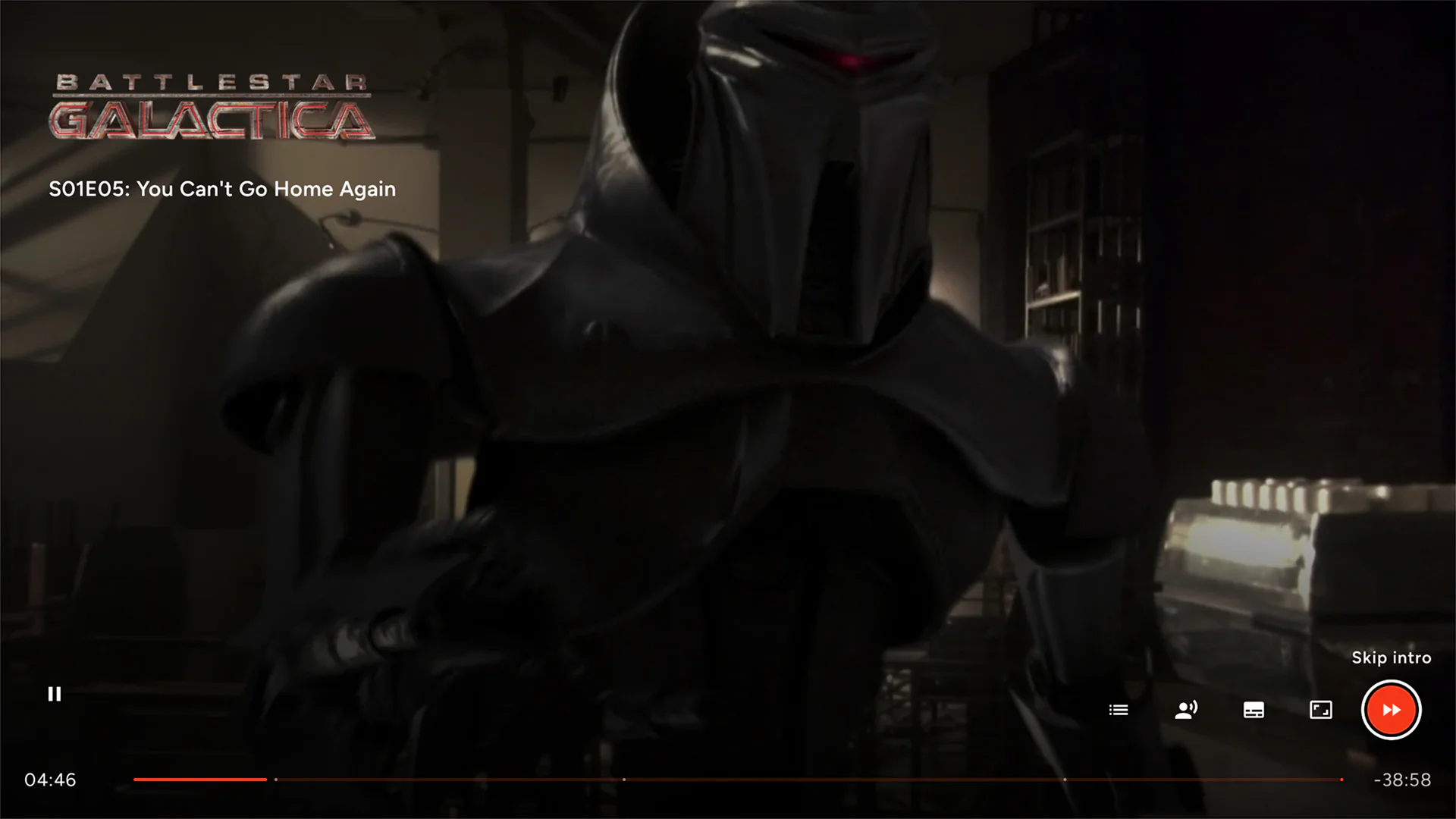
The Skip intro button and chapter markers in the Cinaura player
Always resumes

Every title remembers where you stopped, kept per profile.

Keeps the night going

Auto-play the next episode with a countdown you can cancel.

Move through a film

Chapter markers, skip intro, and an in-player episode strip.

Explore the player
Profiles & privacy

A shared TV that stays yours.

Everyone in the house gets their own space, nothing you connect leaves your device, and your whole setup can move to a new TV in minutes.

A profile for everyone

Separate watch history and preferences for each person in the house.

Child and age restrictions

Age-appropriate limits per profile, based on real certifications and applied across the library, cast, and suggestions.

Move to a new TV in minutes

An encrypted six-word phrase restores your profiles, settings, and source sign-ins, with no re-pairing.

No account, no server. Your source logins stay on the device, and nothing quietly disappears.

Explore profiles and privacy
ProGet even more from your library.

Get more back out of the library you already built and unlock additional features. One payment, no subscription.

See what Pro adds
RELEASES AND DOCUMENTATION

Recent releases

v1.9.0Latest

🎉 New features Collections: a tab for your own lists. Make a list, name it, and put any film or show in it from the title's page. Favourites is now one of those lists instead of a bookmark and a dashboard row, so everything you have saved sits in one place. A film's extras sit…

View on GitHub →

v1.8.0

<img width="1920" height="1080" alt="version=Auto discover SMB drives" src="https://github.com/user-attachments/assets/655a1292-6d86-41d3-a1c3-d8632f42b52b" /> 🎉 New features Microsoft OneDrive is now a source. Add it the same way as Dropbox or Google Drive, by scanning a code…

View on GitHub →

v1.7.2

<img width="1920" height="1080" alt="version=app-046" src="https://github.com/user-attachments/assets/2ad8856b-97cd-4902-a14b-028ab12fe2d5" /> 🎉 New features The trailer plays as backdrop of the details page. Stay on a film's details for a few seconds and its trailer starts…

View on GitHub →
Read docs

Your library. Your rules.

Install Cinaura on your Android TV and see the whole thing on your own screen. Free, no account, no server.

Get it on Google Play