Automagically organized for you.
Whatever your files are called and wherever they live, Cinaura identifies them, fetches the artwork and details, and arranges everything into a library you would be happy to show off. When the automatic match is not quite right, you can take over.

Looks right on the first try
Where other apps make you install scrapers and plugins, Cinaura fetches the posters, artwork, and details itself, right from the first scan.
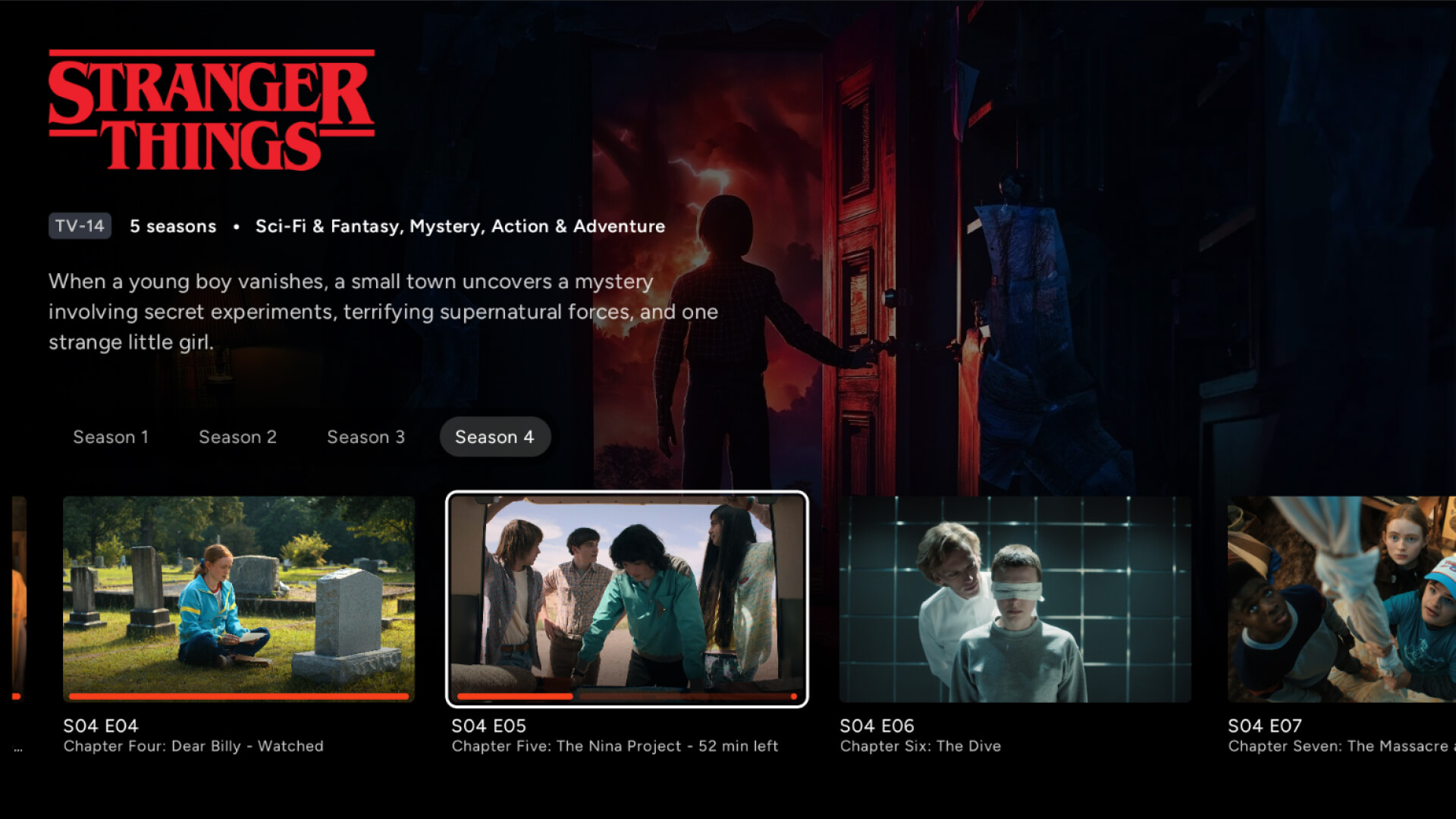
Posters, backdrops, overviews, ratings, and genres, fetched from TMDb.
Sequels and series group into one collection, in your metadata language.
The same title from two sources becomes one entry with both files behind it.
A file marked as a trailer becomes a Trailer button, not a separate movie.
Bring any structure (or none)
No naming rules, no folder layout to follow. Cinaura parses whatever you have, and honours your own artwork and data on top.
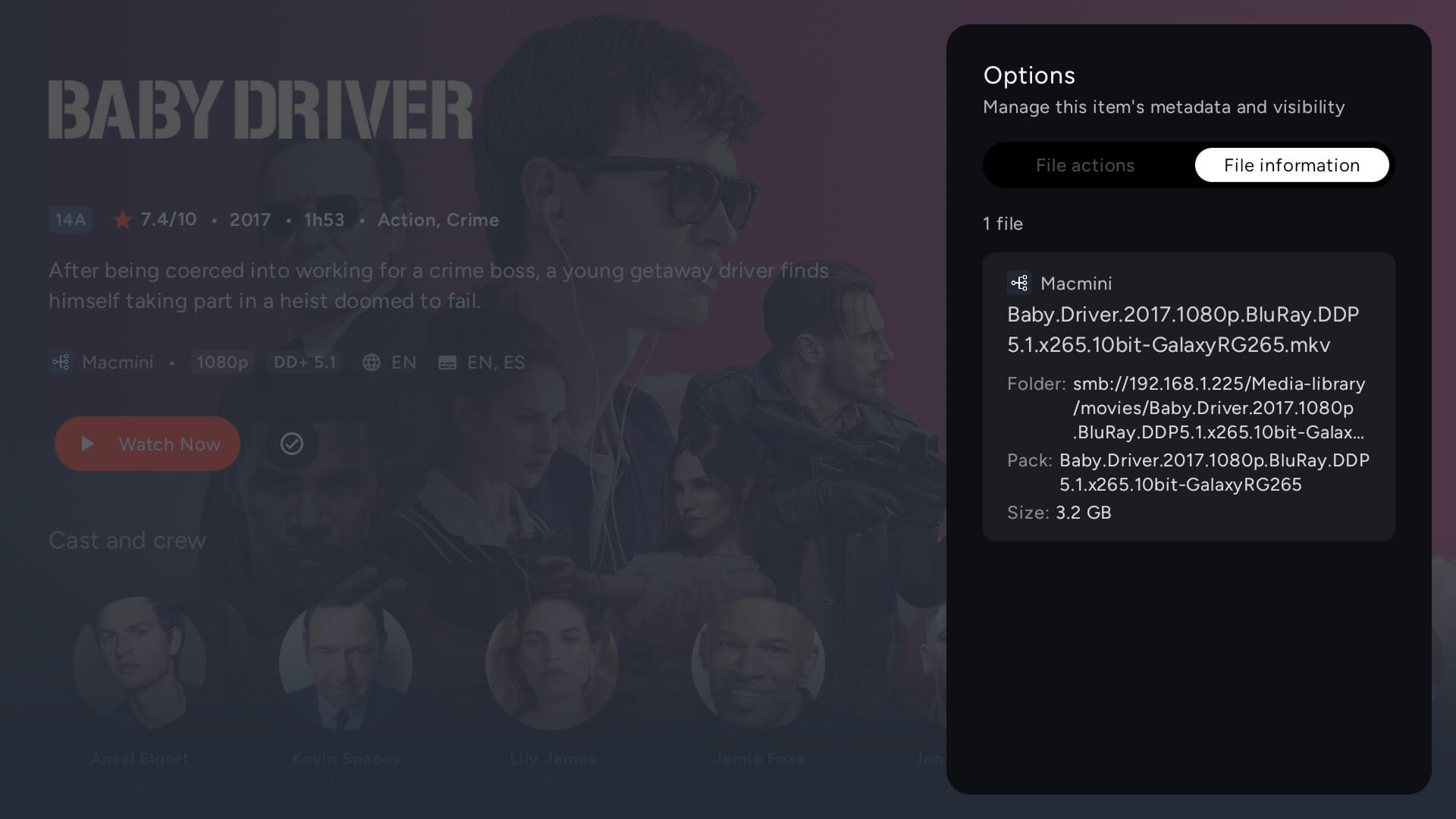
Cinaura identifies your files regardless of folder structure or naming, or with no structure at all.
Poster, backdrop, and logo files next to your media are detected and can be preferred over TMDb.
Your .nfo titles and plots win over the defaults, and a stub NFO pins the exact TMDb id so obscure titles keep matching.
Rarely wrong. Always fixable.
On the rare miss, a quick fix sets it straight, and your correction sticks through every refresh, so you never fix the same thing twice.
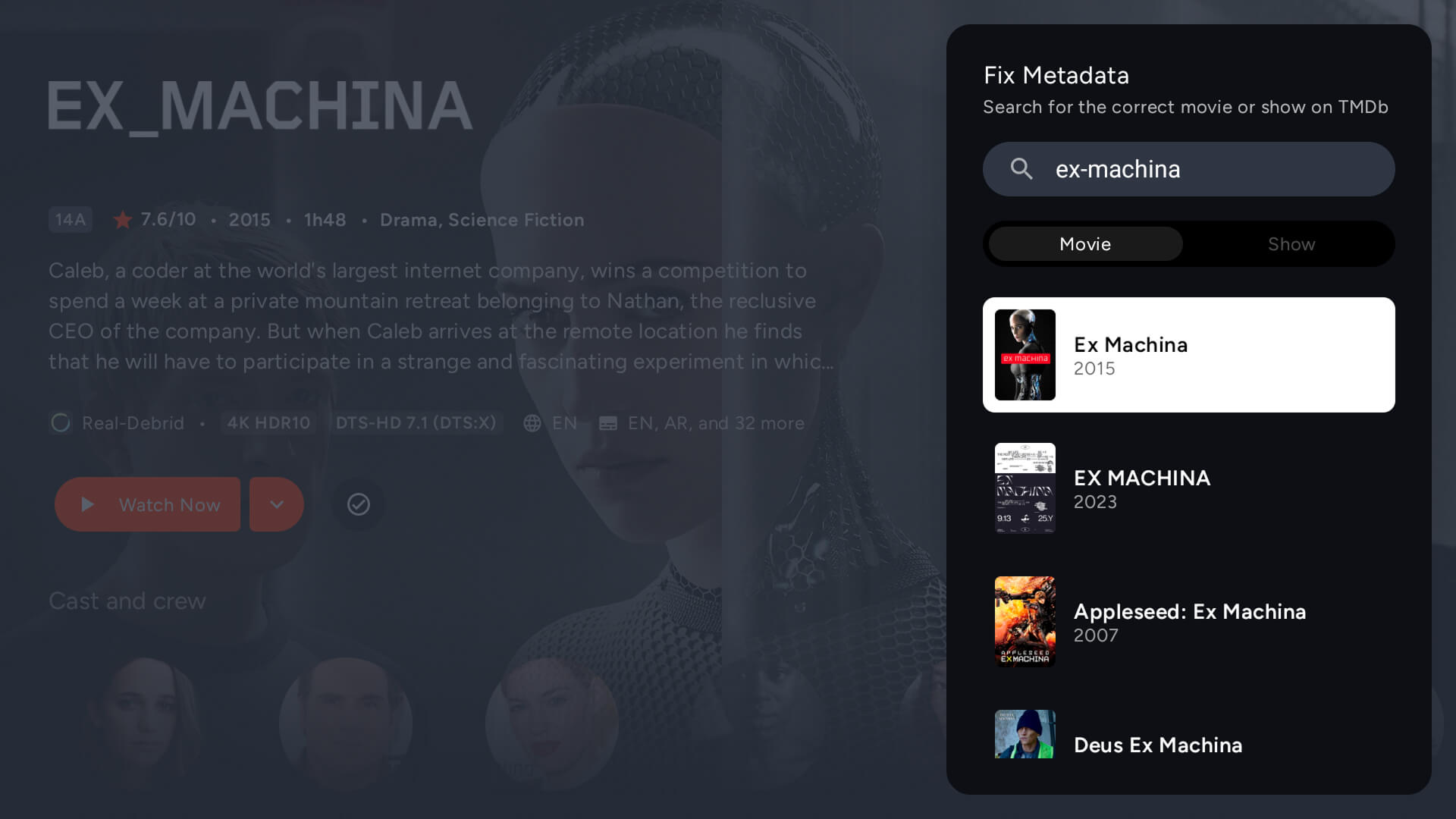
Edit a title, poster, or match, and pin it so refreshes do not undo your work.
Type a year or a TMDb id in Fix metadata to force the right match, and re-parent an episode onto the correct show.
Multi-part files, anime batches, and release-site prefixes are parsed correctly.
Browse your way
However you like to find something to watch.
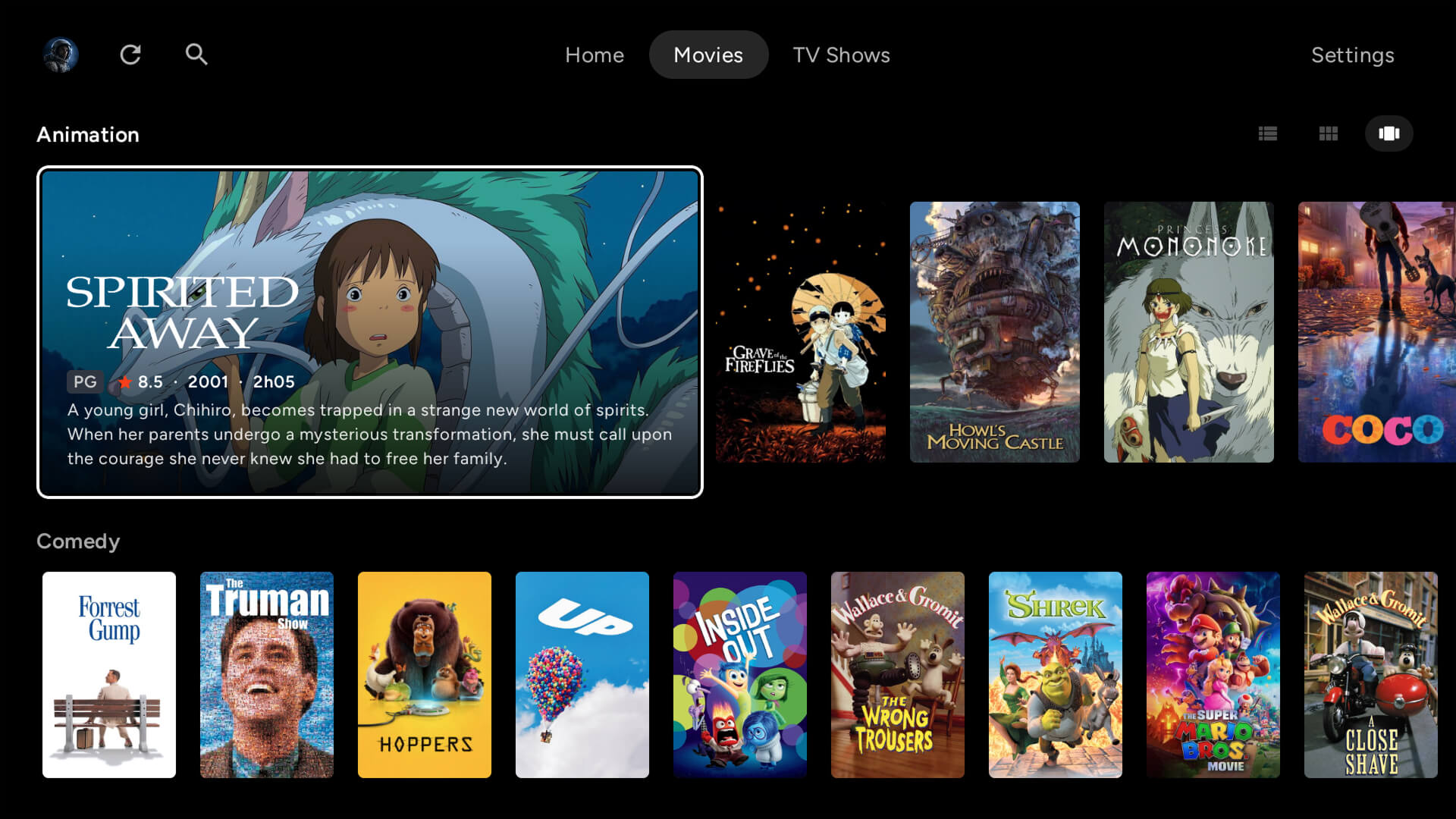
Genre shelves unlock from 30 titles and dock to the top as you scroll, with each title appearing under every genre it belongs to.
One search across every connected source.
Mark favourites for a dedicated row, and see recently added movies and episodes on the dashboard.
Article-aware sorting files titles like The Matrix under M, not T, with the leading article dimmed.
Nothing hides from you
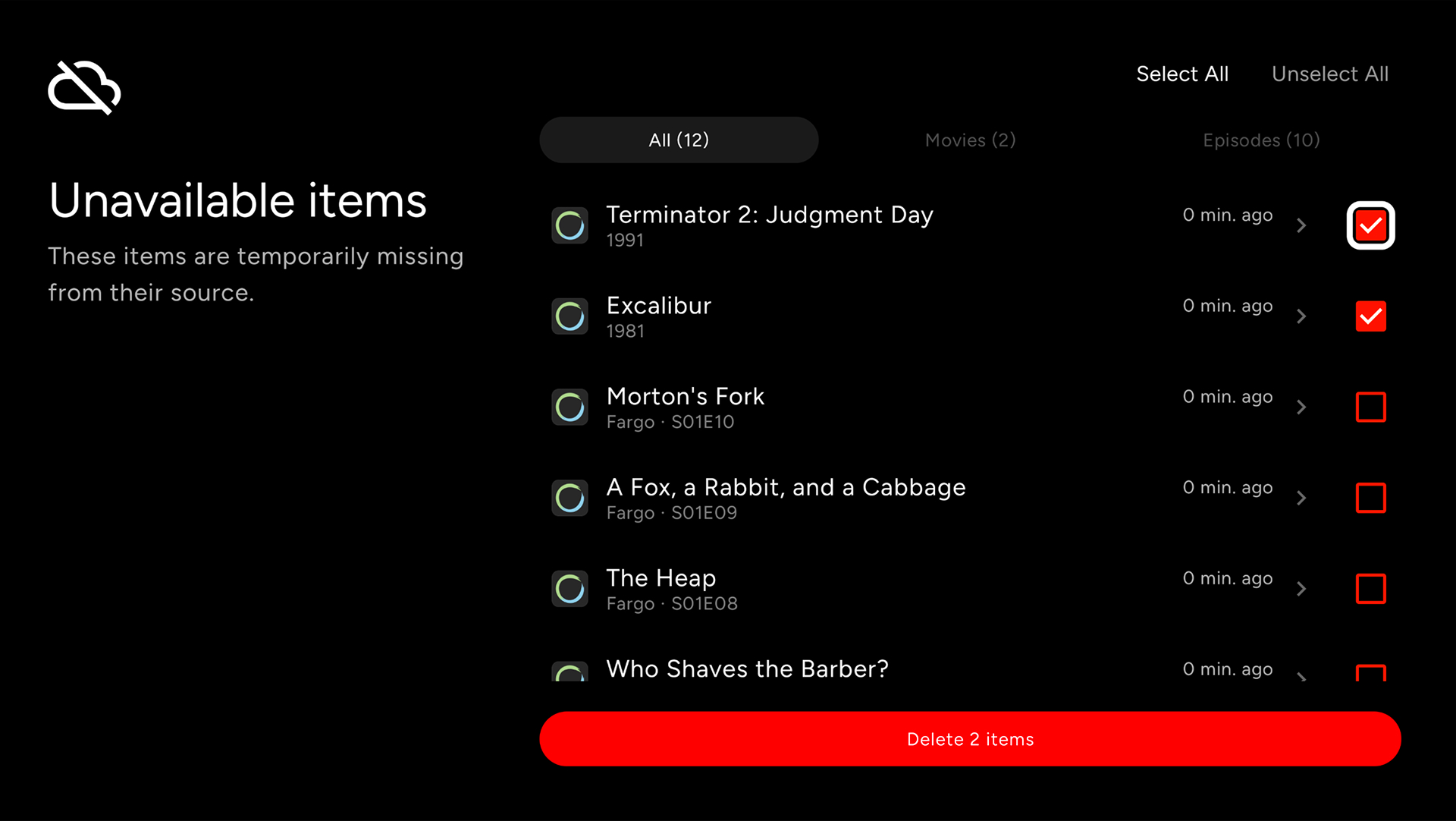
The library stays transparent. Files Cinaura could not match, and titles that drop off a source, are surfaced and kept, so you decide what happens to them.
A dedicated screen gathers every file Cinaura could not match, so you can fix or clear them in one place.
When a file leaves a source, a dead torrent or a renamed folder, it is listed with a timestamp for when it went, so you always know what changed.
Unavailable titles stay in your library by default, marked as such, and only leave when you remove them. Nothing disappears on its own.
More of what Cinaura does
Your media library. On your own terms.
A serverless personal media library for Android TV. Bring your movies and shows together from every source into one calm, beautiful interface.