TorBox on Android TV, done right
TorBox gives you fast, cached access to your content. Cinaura turns it into a proper library on your TV, with posters, metadata and a calm interface, instead of a search bar.

Download Cinaura from the Google Play Store onto your Android TV. No server and no setup wizard. It is running in about two minutes.
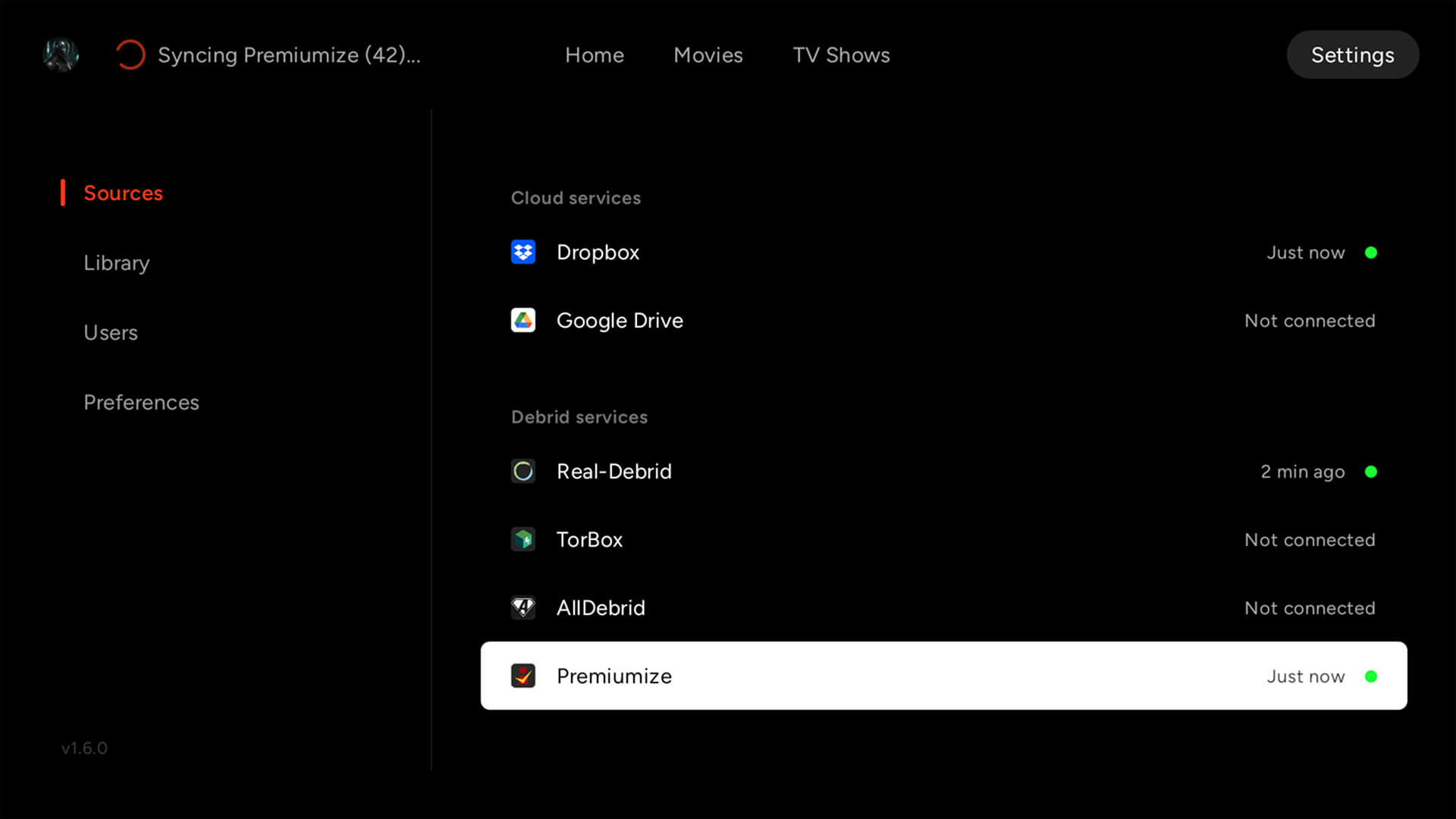
Add TorBox as a source. Sign in once from your phone, and your account is linked. Your keys never leave your control.
Cinaura identifies your content and fetches posters, backdrops and metadata, presenting it as a clean library you can browse and keep.
More than a player. A library.
Most ways of watching TorBox on a TV stop at playback. Cinaura treats your content as a collection: it groups franchises and seasons, fetches artwork and details, and remembers where you left off, so your TV feels less like a search engine and more like your own streaming service.
Not just TorBox
Cinaura also works with RealDebrid, AllDebrid and Premiumize, plus Dropbox, Google Drive and your NAS, all merged into a single library. Sources are replaceable. Your library stays.
See how Cinaura compares to PlexA full library, too
Connect any storage into one library.
Every file becomes a proper title.
The best thing to watch is already yours.
Your files, at full quality.
Watch in any language.
Built for how you actually watch.
A shared TV that stays yours.
Common questions
How do I watch TorBox on Android TV?
Install Cinaura from Google Play, add TorBox as a source, and sign in once from your phone. Cinaura then organises your content into a browsable library with full metadata, and no server is required.
Is Cinaura better than Stremio for TorBox?
They solve different problems. Stremio is a search-and-stream tool. Cinaura is a library: it organises your TorBox content into a permanent, curated collection with posters and metadata that you own and keep. Many people prefer that for a TV they sit down to browse.
Does Cinaura host or provide any content?
No. Cinaura is a media library app. It doesn't host, provide, recommend or download content. It connects to the sources and services you already have, like your TorBox account, and presents what is available there.
Does it work with other debrid services?
Yes. Alongside TorBox, Cinaura supports RealDebrid, AllDebrid and Premiumize, as well as cloud storage (Dropbox, Google Drive) and network shares (SMB, WebDAV), all in one library.
Your TorBox, as a real library.
Install Cinaura on your Android TV, connect TorBox in two minutes, and browse your content the way it deserves. Free, no server, and no second account.