Which Jellyfin client should you use on Android TV?
By Jrm, who builds Cinaura · Updated November 2026 · 4 min read
You set up Jellyfin because you wanted your own library without paying anyone for it, and that part went fine. Then you went to install it on the television and discovered the second project: choosing a client. There is the official app, and then there is a shelf of community ones, each of which somebody online insists is the only sensible choice. Several of the most recommended turn out not to run on Android TV at all.
Here is the honest map, as it stands in November 2026.
| App | What it is really built for | Where it stands |
|---|---|---|
| Jellyfin for Android TV (official) | The default big-screen client, maintained by the project itself | The safe choice, and on Google Play, the Amazon Appstore and F-Droid. Steady rather than exciting, and it is the app most of the others below exist in reaction to |
| Wholphin | Android TV and Fire TV, designed for a remote from the start | The most widely praised third-party TV client. Wants Android TV 6 or newer, and does not run on the newer Vega OS Fire TV sticks |
| Moonfin | Android TV, Fire TV and phones from one codebase | Good looking, and very young. Can merge several Jellyfin or Emby servers into one library |
| Streamyfin | Phones first, with a TV interface added later | The TV side is still maturing, and on a television it is usually a sideloaded APK rather than a Play Store install |
| Findroid | Phones and tablets | Frequently recommended as the one to use, and it is not an Android TV app. Easy to lose an evening to that |
| Fladder | Phones, with server administration built in | Genuinely handy if you manage the server from the sofa. Not a TV client |
| Finamp | Music, and only music | Excellent at its one job, and nothing to do with your films |
| Kodi with the Jellyfin add-on | Pulling a Jellyfin library into an existing Kodi setup | It works, and now you maintain Kodi, an add-on and a server. See Kodi alternatives |
None of this is Jellyfin's fault
It is the direct result of how the project is built, and mostly a compliment. Jellyfin ships a server with an open API and a licence that lets anyone write a front end, so people do. Each of those clients is somebody's spare time, so polish, update pace and platform coverage vary, and the app everyone recommends this year can go quiet next year. If you have ever had a favourite client stop getting updates, you have already paid that price once.
Notice what you are actually shopping for
Every app in that table is trying to do the same job: take files you already own and make them look like a library on the screen you are sitting in front of. Posters, seasons, subtitles, resume, something that behaves with a remote in your hand.
The server does not do that part. It indexes, it holds watch state, it serves bytes. The reason you spend a weekend comparing clients is that presentation is the only part of this you actually experience, and it is precisely the part Jellyfin leaves to somebody else.
The presentation can just happen on the television
If the front end is the thing you want, do you need the server underneath it at all?
Cinaura is that front end with nothing behind it. It connects straight to where your files already live: SMB and WebDAV shares, internal and USB storage, Dropbox, OneDrive and Google Drive, and Real-Debrid, TorBox, Premiumize and AllDebrid. It scans them on the device, matches posters, seasons and descriptions, and reads the NFO files your existing library already has, so the curation you did for Jellyfin carries straight over.
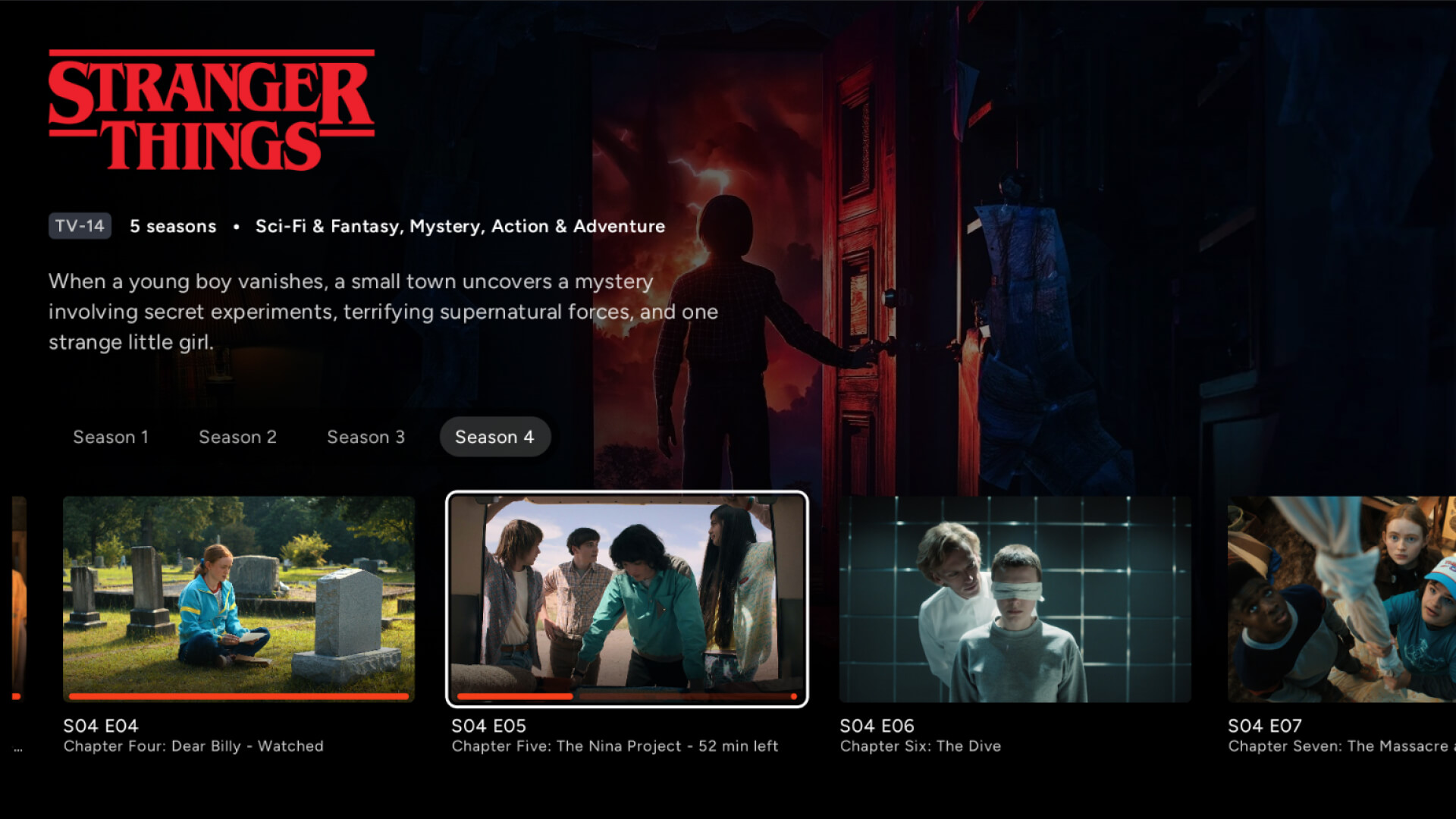
Everything lands in one library, so a film sitting on both the NAS and your debrid account shows up once rather than twice, with the choice of copy left until you press play. Subtitle search is built in, alongside the sidecar files you have already collected. Each person in the house gets a profile with their own continue-watching row, with certificate-based limits for the children, and no account anywhere.
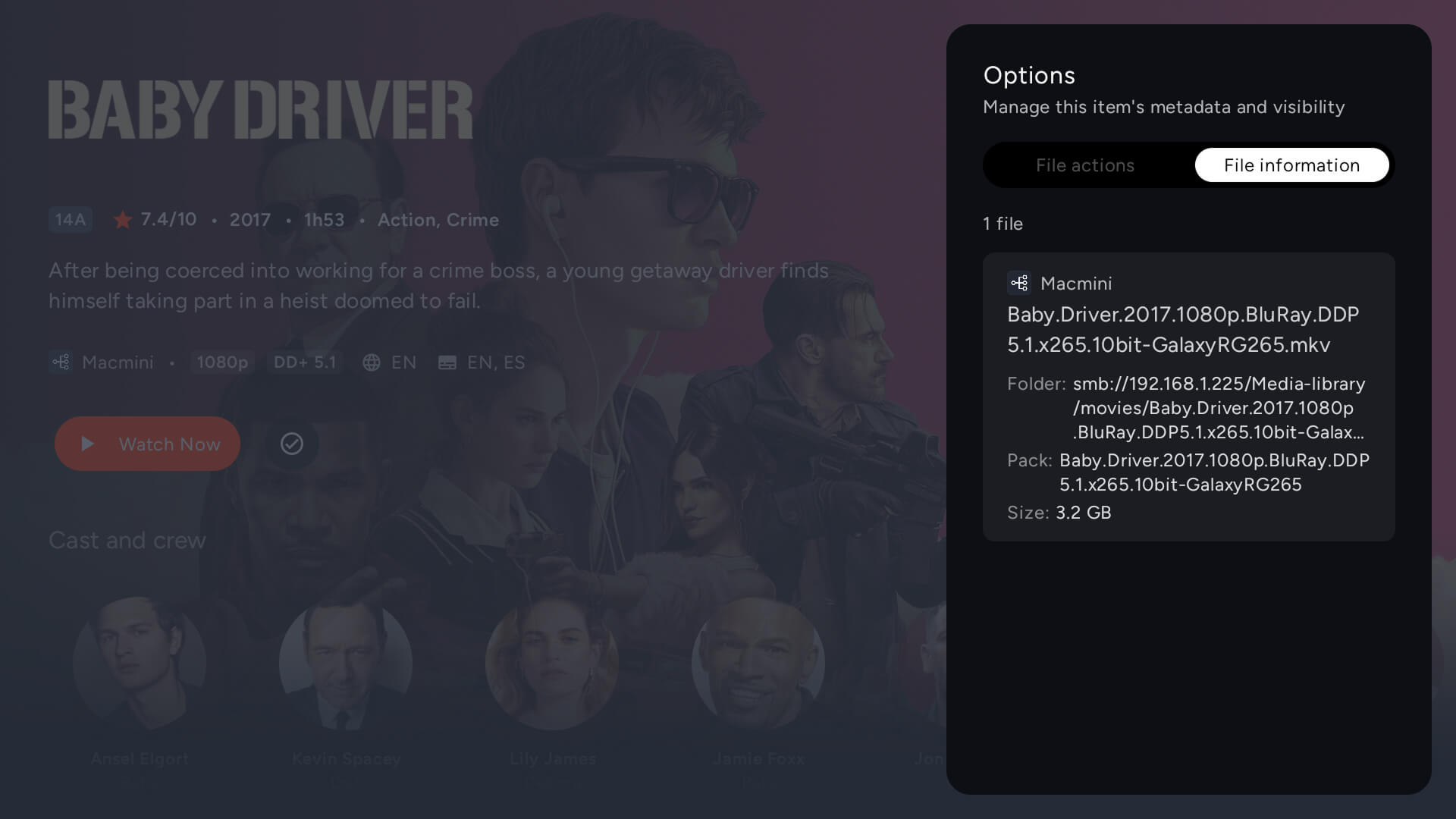
On playback it leans on the box rather than working around it. Refresh rate matched to the content, HDR carried end to end instead of tone mapped, Dolby Vision Profile 7 files that other players show as a black screen handled properly, TrueHD and Atmos passed through to the receiver. That is the part a transcoding server was protecting you from, done by hardware you already paid for.
One app, one update, no lottery
The practical difference is that there is nothing to choose and nothing to keep up with. No shortlist of clients, no checking which one still gets commits, no server to patch on a Sunday so that the client keeps talking to it. One app on the television, pointed at your own storage.
Cinaura is not open source, and if that is a requirement then Jellyfin is the right answer and the official app is where to start. The side-by-side comparison is upfront about where each one fits, and the alternatives page covers the no-server route in more detail.
But if you came here with a browser full of client comparisons, open because the app on your telly is the part that is not good enough, that is worth knowing. Cinaura is free on Google Play. It takes about two minutes to point at your sources, and there is no next client to try afterwards.