Why Plex's Android TV app keeps getting worse
By Jrm, who builds Cinaura · Updated November 2026 · 4 min read
For most of a decade the Plex app on Android TV was the part nobody argued about. You installed it, it found the server, it played the film. Then Plex rewrote it. The new big-screen app moved navigation out of the left sidebar and into a top bar, rebuilt the home screen around recommendations, and went out as a preview across Apple TV, Roku and Android TV. The reaction was loud enough that in August 2026 Plex put the collapsible sidebar back.
The sidebar was never the real problem, which is why the complaints did not stop when it returned. Through the autumn, forum threads from Google TV, TCL and Shield owners described an interface that is slower to move around, episodes that do not reliably register as watched, and an alphabet scrollbar that no longer behaves. Settings people relied on went missing, including the one that decides what percentage counts as watched, and the next-episode control ended up behind a menu.
So everyone is out looking for a different client
Which is the right instinct. An app you brace yourself before opening is a real problem, and the usual route out is a third-party Plex client, or an older APK with auto-update switched off and a quiet check of each release to see whether your box got quick again. Before giving a weekend to that, it is worth looking at what you would be installing.
Any Plex client is a window onto someone else's machine
Almost every complaint in those threads is that the app is slow, or that it forgot something. Both are simply what a client does. Your library, your metadata and your watch state live on the server, and the app on the television draws them. Every row of posters is a request across the network. When the app has a bad quarter, there is no setting on your side that helps. Picking a different client changes who drew the screen, and leaves you waiting on the next release of something you do not control.
The more useful question is not which client, but whether you need the thing it is a client of.
Your television can do the whole job now
A media server does three things. It scans your files and matches them to metadata, it remembers where you got to, and it serves the video out. The first two are bookkeeping that a current Android TV box can perfectly well do for itself, and the third assumes the television cannot reach the files, which stopped being true a while ago. A NAS already speaks SMB. Dropbox, Google Drive and OneDrive have proper APIs. A debrid account hands you a URL.
| What the server does for you | Where it happens with Cinaura |
|---|---|
| Scans your files and matches them to posters, seasons and descriptions | Cinaura scans your sources and builds the library on the device, parsing filenames and reading the NFO files you already have |
| Holds watch state and resume points for the household | Kept on the TV, per profile, so each person has their own continue-watching row without an account |
| Serves the video out to the app on your television | The app opens the file straight from the share, the cloud drive or the debrid link. Nothing in between to be slow |
| Re-encodes video when a client cannot handle the original file | Cinaura plays what your box already decodes, matches the display refresh rate to the content, keeps HDR end to end and passes TrueHD and Atmos through untouched |
| Runs on a machine that has to stay awake and stay patched | There is nothing to run. The app is the whole product |
One app, pointed at what you already own
Setting it up is the same two minutes whatever your films are sitting on, because the sources go in side by side:
- SMB and WebDAV shares, internal storage and USB drives
- Dropbox and OneDrive, plus Google Drive including its Shared Drives
- Real-Debrid, TorBox, Premiumize and AllDebrid
Cinaura scans them, matches the metadata, and gives you posters, seasons, descriptions, subtitles and resume. A film that exists on both the NAS and your debrid account appears once, not twice. Subtitle search is built in alongside the sidecar files you have already collected. Everyone in the house gets their own profile, with certificate-based limits for the children, and none of it needs an account.
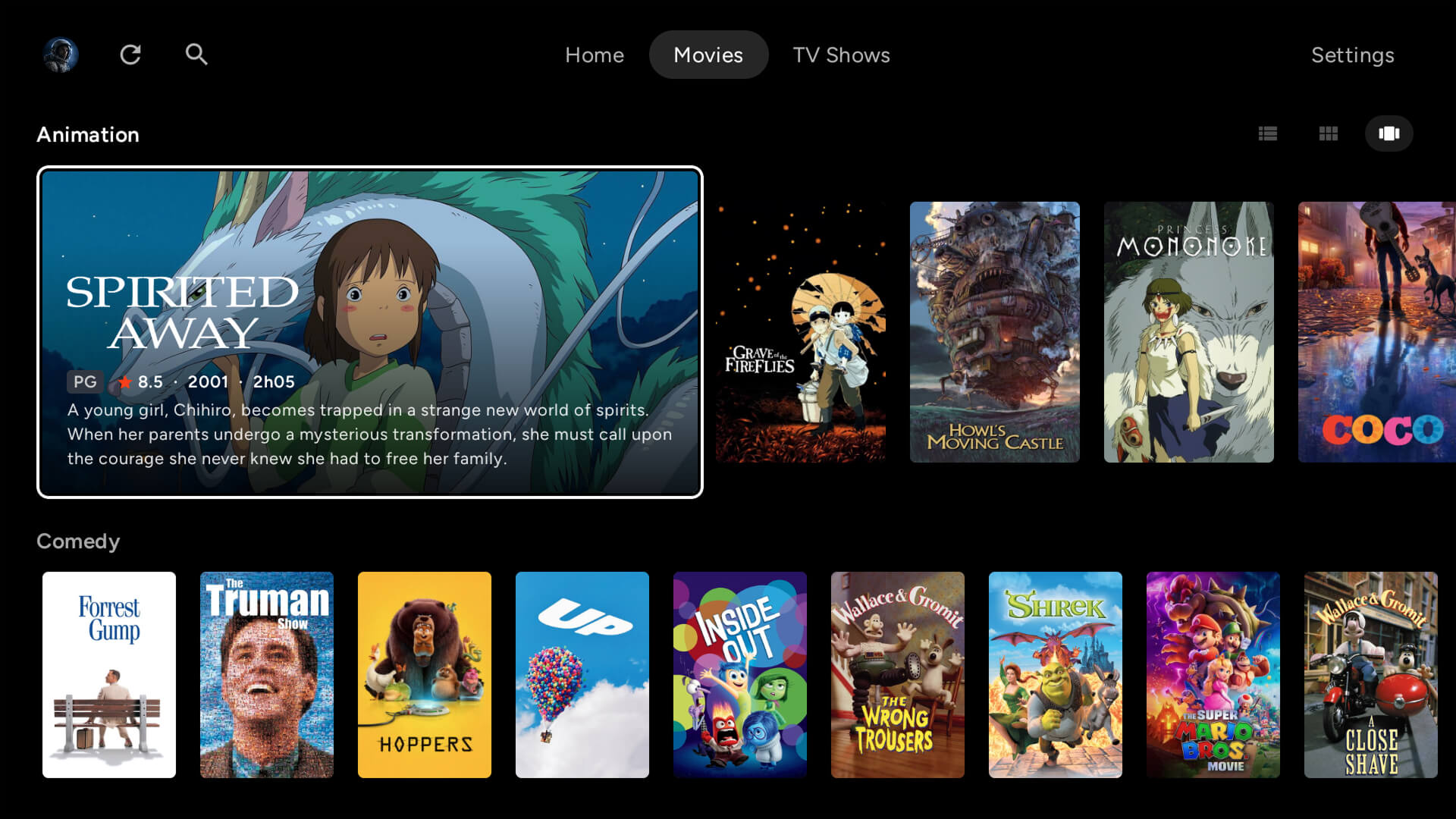
Because the app is doing the whole job rather than drawing a server's answers, the things people are currently complaining about are not really on the table. Navigation does not wait on a network. Watch state cannot fail to reach anywhere. There is one piece of software to update, and it is the one in front of you. Cinaura and Plex side by side lays out where each one fits, because Cinaura is built for the television first and that is a real difference in scope.
Playback leans on the box rather than working around it. Refresh rate matched to the content so film does not judder, HDR carried end to end instead of tone mapped, Dolby Vision Profile 7 files that other players render as a black screen handled properly, and TrueHD and Atmos passed straight through to the receiver. That was the job the transcoding server was doing for you, done by hardware already sitting under your television.

Worth asking while you are shopping anyway
You went looking for a better way to watch your own films on your own telly. That is all any of this was ever for. If the pricing was the other half of why you were looking, there is a separate question about Plex Pass, and if there is a whole stack behind the server, how much of it you still need deserves an honest audit too.
Your films have not changed. Your television has gotten considerably better. Cinaura is free on Google Play. Point it at your sources and see how much of the middle you miss.